
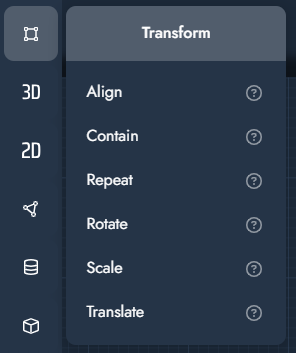
Transform Modifiers
Transform modifiers manipulate geometry by changing its position, orientation, size, or repetition. They are typically used to align objects, fit geometry within constraints, or apply systematic transformations based on parameters or logic in the graph.
These modifiers do not create new geometry, but modify existing geometry flowing through the graph.
|
Modifier |
Description |
Input/Output |
|---|---|---|
Align
|
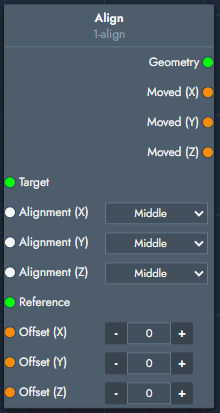
The align places the object on the world origin (X, Y, and Z axis), positioning either the center (middle) or one of the extrema (left, right, top, bottom, front, or back) of your object on the origin of the selected direction(s). You can align the object relative to a target and optionally use a reference object for additional control. Offsets allow you to fine-tune the final position after alignment, and the node also exposes the resulting movement along each axis.
|
Inputs
Outputs
|
Contain
|
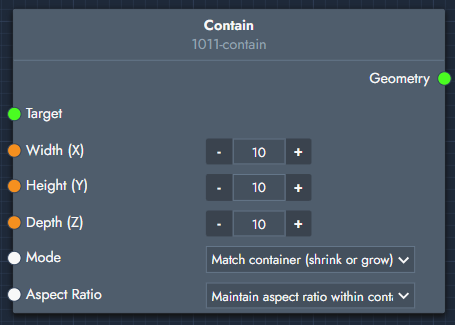
The contain modifier fits the object within a container defined by width, height, and depth. It adjusts the size of the object so it fits inside the specified bounding box while maintaining the selected mode and aspect ratio behavior. |
Inputs
Outputs
|
Repeat
|
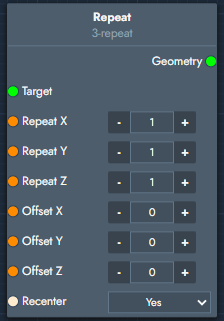
The repeat modifier duplicates the object along one or more axes. You can control the number of repetitions and the spacing between them, and optionally recenter the repeated pattern around the origin. |
Inputs
Outputs
|
Rotate
|
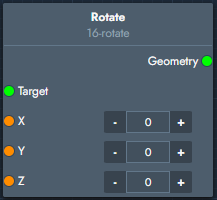
The rotate modifier rotates the object around the X, Y, and Z axes. You can define the rotation amount per axis to control the final orientation of the object. |
Inputs
Outputs
|
Scale
|
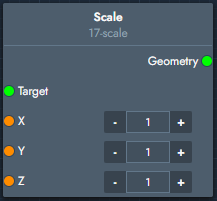
The scale modifier scales the object along the X, Y, and Z axes. You can define a scaling factor per axis to adjust the size of the object. |
Inputs
Outputs
|
Translate
|
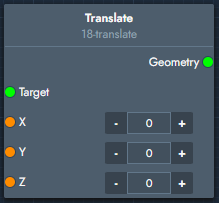
The translate modifier moves the object along the X, Y, and Z axes. You can define a translation amount per axis to control the object's final position. |
Inputs
Outputs
|