Developer Docs

Modifiers | Data

image-20260318-153708.png

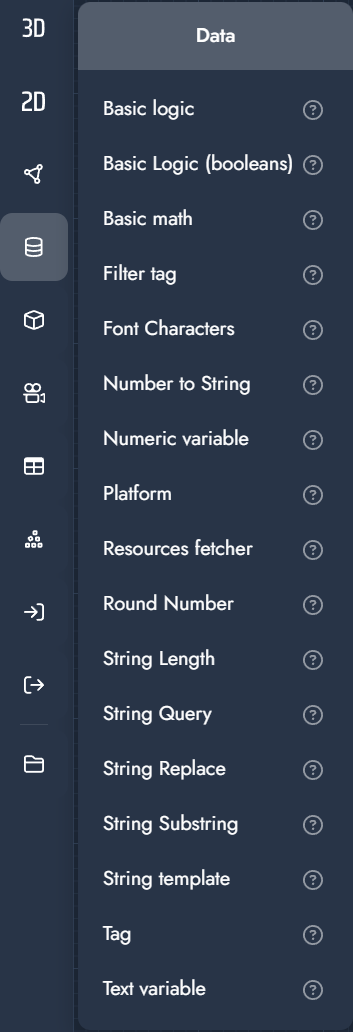
Data Modifiers

Data modifiers perform logical, numeric, and string-based operations within the graph. They are used to compare values, perform calculations, filter data, and drive conditional behavior.

These modifiers do not affect geometry directly but are essential for building dynamic, rule-based configurator logic.

Modifier

Description

Input

Basic logic

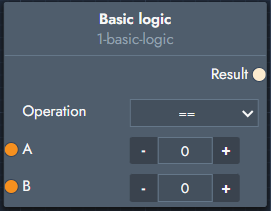
Uses a logic comparison between two values and outputs a boolean result indicating whether the condition is true or false.

image-20251212-134554.png

Inputs

  • Operation: Choose between ==, >, <, <=, >=.

  • A: First value.

  • B: Second value.

Outputs

  • Result: Boolean result of the comparison.

Basic Logic (booleans)

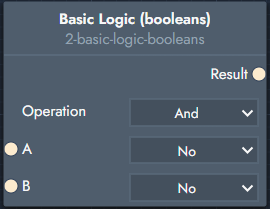
A logic gate operating on two boolean values that outputs a boolean result.

image-20251212-134657.png

Inputs

  • Operation: Choose between And, Or, or Xor.

  • A: Boolean value.

  • B: Boolean value.

Outputs

  • Result: Boolean result.

Basic math

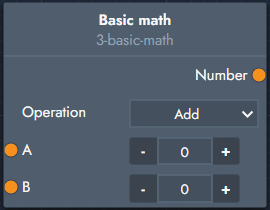
Applies a basic mathematical operation between two numeric values.

image-20251212-134754.png

Inputs

  • Operation: Choose between Add, Subtract, Multiply, or Divide.

  • A: First numeric value.

  • B: Second numeric value.

Outputs

  • Number: Result of the calculation.

Filter tag

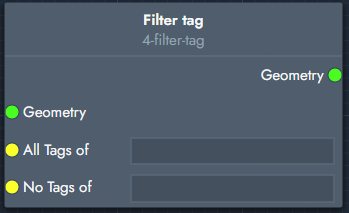
Filters geometry based on assigned tags.

image-20251212-134814.png

Inputs

  • Geometry: Geometry to be filtered.

  • All Tags Of: Geometry with all of these tags is kept.

  • No Tags Of: Geometry with any of these tags is removed.

Outputs

  • Geometry: Filtered geometry.

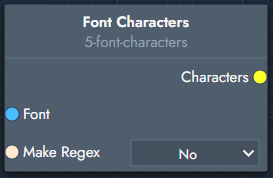
Font Characters

Outputs the available characters of a given font.

image-20251212-135015.png

Inputs

  • Font: The font to query.

  • Make Regex: Outputs the characters as a regular expression when enabled.

Outputs

  • Characters: Available font characters.

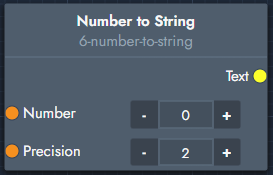
Number to String

Converts a numeric value into a text representation.

image-20251212-135058.png

Inputs

  • Number: Numeric value to convert.

  • Precision: Number of decimal places.

Outputs

  • Text: Converted text value.

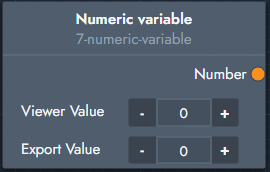
Numeric variable

Stores a reusable numeric value that can be referenced throughout the graph.

image-20251212-135139.png

Inputs

  • Viewer Value: Value used during visualization.

  • Export Value: Optional value used during export.

Outputs

  • Number: The numeric value.

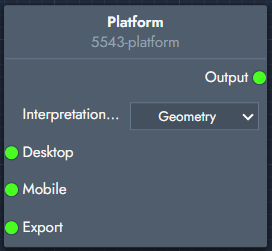
Platform

Allows you to assign different resources for desktop, mobile, and export contexts.

The front-end automatically detects the user’s device and loads the appropriate resources, enabling optimized assets for mobile without sacrificing desktop quality. Export inputs can be used for production-specific outputs.

This works across all resource types, including geometry, color maps, and materials.

image-20260318-153843.png

Inputs

  • Interpretation Type
    Defines how the input resources should be interpreted (e.g. Geometry, Color Map, Materials).

  • Desktop
    Resource input used for desktop environments.
    Typically linked to higher-quality or more detailed assets.

  • Mobile
    Resource input used for mobile devices.
    Allows optimized (lighter) assets to be provided for better performance.

  • Export
    Resource input used for export contexts (e.g. production files, downloads).
    Can differ from visual assets to match manufacturing or output requirements.

Outputs

  • Output
    The selected resource based on the active platform context (desktop, mobile, or export), as resolved by the front-end.

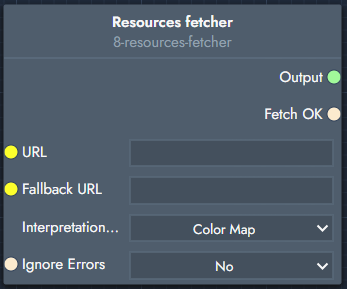
Resource fetcher

Fetches a resource from a specified URL.

image-20251212-135240.png

Inputs

  • URL: URL of the resource to fetch.

  • Fallback URL: URL used if the primary fetch fails.

  • Interpretation Type: Expected resource type.

  • Ignore Errors: Determines whether errors are ignored.

Outputs

  • Output: The fetched resource.

  • Fetch OK: Indicates whether the fetch succeeded.

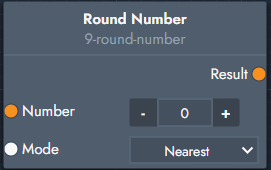
Round Number

Rounds a numeric value according to the selected mode.

image-20251212-135351.png

Inputs

  • Number: Value to round.

  • Mode: Rounding mode (e.g. Nearest).

Outputs

  • Result: Rounded number.

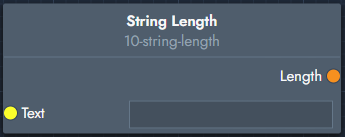
String Length

Returns the length of a text string.

image-20251212-135420.png

Inputs

  • Text: Input string.

Outputs

  • Length: Number of characters.

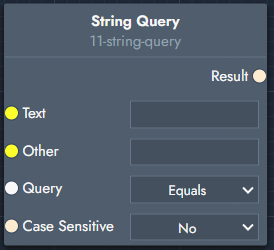
String Query

Checks whether a string matches a condition and outputs a boolean result.

image-20251212-135753.png

Inputs

  • Text: Target string.

  • Other: Comparison string.

  • Query: Choose between:

    • Equals

    • Not Equals

    • Contains

    • Not Contains

    • Starts With

    • Ends With

  • Case Sensitive: Defines whether uppercase and lowercase letters are treated as distinct.

Outputs

  • Result: Boolean result.

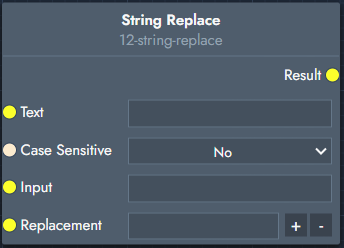
String Replace

Replaces parts of a string with another value.

image-20251212-135743.png

Inputs

  • Text: Input string.

  • Case Sensitive: Case sensitivity toggle.

  • Input: Substring or pattern to replace.

  • Replacement: Replacement text.

Outputs

  • Result: Modified string.

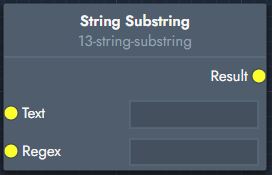
String Substring

Extracts a substring using a regular expression.

image-20251212-135919.png

Inputs

  • Text: Input string.

  • Regex: Regular expression pattern.

Outputs

  • Result: Extracted substring.

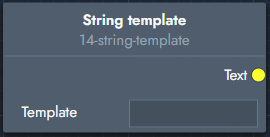
String Template

Builds a text string from a template using placeholders.

Placeholders are defined using square brackets ([1], [2], …) and replaced by connected inputs.

Note: Save and refresh after setting the template to expose the input sockets.

image-20251212-140047.png

Inputs

  • Template: String template.

Outputs

  • Text: Generated string.

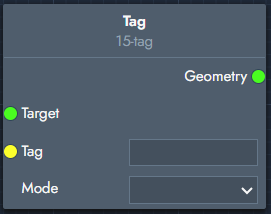
Tag

Adds or removes a tag on a geometry.

image-20251212-140241.png

Inputs

  • Target: Target geometry.

  • Tag: Tag value.

  • Mode: Add or remove.

Outputs

  • Geometry: Tagged geometry.

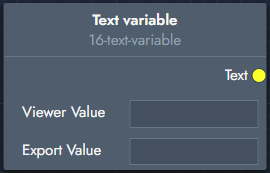
Text variable

Stores a reusable text value that can be referenced throughout the graph.

image-20251212-140326.png

Inputs

  • Viewer Value: Value used during visualization.

  • Export Value: Optional value used during export.

Outputs

  • Text: The text value.