
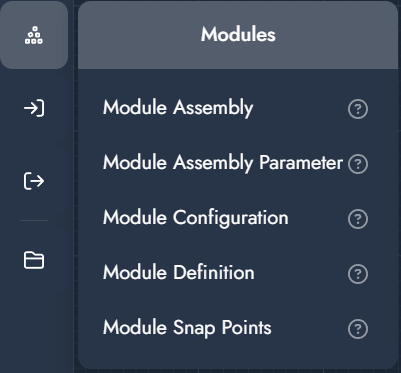
Modules
Modules are reusable building blocks that represent configurable products or components within an assembly. They allow complex setups to be structured into smaller, manageable parts that can be defined, configured, positioned, and connected.
A module is first defined (via descriptors and configuration), then added to an assembly, where it can be controlled through parameters and connected to other modules using snap points.
This system enables:
-
Parametric assemblies with multiple interchangeable components
-
Structured product logic through reusable modules
-
Flexible positioning and connections via snap points
-
Separation between visualization and export logic
Modules are typically used to build scalable configurator setups where multiple components interact within a single coordinated assembly.
|
Modifier |
Description |
Input |
|---|---|---|
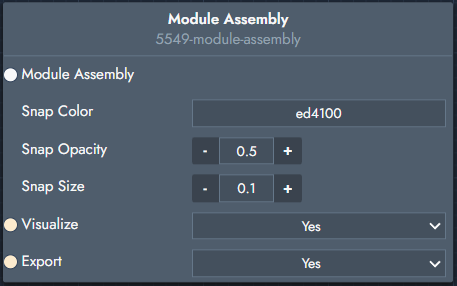
Module Assembly
|
Master assembly node used to group and manage modules. It acts as the central node to which modules are linked via the Module Assembly Parameter. |
Inputs
Outputs
|
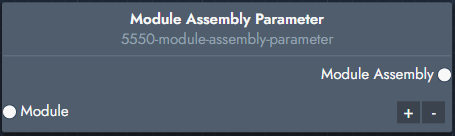
Module Assembly Parameter
|
Links a module to an assembly and outputs a parameter containing all modules within that assembly. |
Inputs
Outputs
|
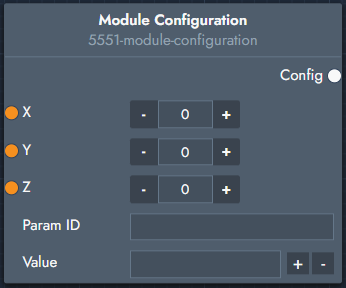
Module Configuration
|
Defines parameter values and positioning for a module instance within the startup scene. |
Inputs
Outputs
|
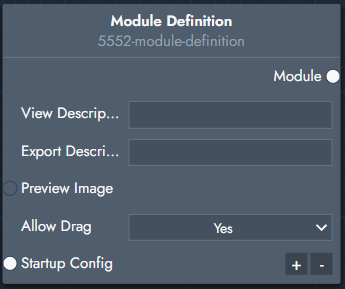
Module Definition
|
Treats an existing product as a module within an assembly, based on product descriptors. |
Inputs
Outputs
|
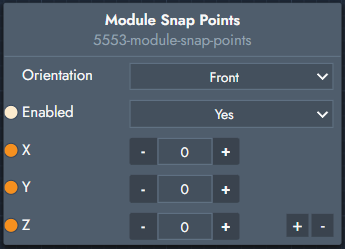
Module Snap Points
|
Defines connection points used to attach modules together. |
Inputs
|