
|
SETTING |
DESCRIPTION |
|---|---|
|
Name |
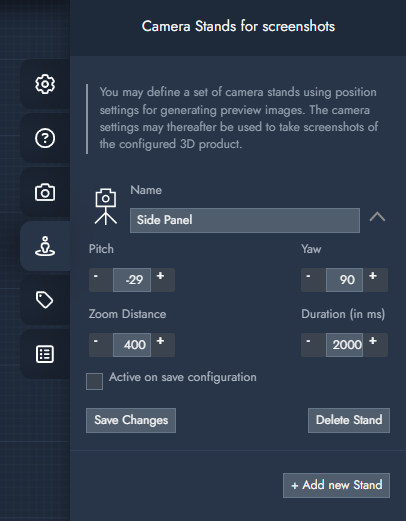
Gives the camera stand a name. This can be used to link a camera stand to a specific parameter. This is useful if you want to give extra attention to a certain part of the object that relates to a visible part of the product which the user is customizing. |
|
+ Add new Stand |
Create a new Camera stand. |
|
Pitch/Yaw/Zoom Distance |
Pitch: This setting adjusts the camera's upward or downward tilt. Yaw: This value manages the camera's left-to-right tilt. Zoom Distance: This controls the distance between the camera and its focus point. |
|
Duration (in ms) |
This value specifies the speed at which the camera eases from its current position to a new one. |
|
Active on save configuration |
Enabling this setting triggers a preview image after a configuration is saved. Alternatively, the default camera position is used. Note: When using multiple camera stands, it is recommended to enable this setting on only one of them. |